


Multiplication Games For Kids.
4.6658.00 Reviews
App Specs
- Version
- 3.31.0
- Updated On
- License
- Free
- Downloads
- 1,000,000+
- Developer
- Speedymind LLC
- Categories
- Educational
- Platform
- Android, iOS
Screenshots
 Analysis by AppCompare
I look at a multiplication game differently from a worksheet app: the main question is whether a child will willingly return to practice, and whether that practice helps beyond tapping through answers. Multiplication Games For Kids is an educational game from Speedymind LLC, built around multiplication rather than general-purpose lessons. Its appeal is easy to understand, but I would treat it as a practice companion, not a complete way to learn maths from scratch.
What the free price does—and does not—tell you
The game is free to download, so a family can try it without paying upfront. It also offers in-app purchases priced from $4.99 to $59.99 per item. That wide range makes one practical step important: check the purchase options in the app before handing it to a child, and decide together whether any paid content is worth considering. The free entry point is useful, but it does not mean every part of the experience is free.
I would not judge the game’s value by the presence of purchases alone. The better question is whether the free access gives your child enough practice to see if the format suits them. If it does, you can weigh any later purchase against how often they use it and whether it helps with a real learning goal. If they lose interest quickly, there is no reason to spend just because an upgrade is available.
In the educational category, a common alternative is a free worksheet or a general maths app. Worksheets cost nothing beyond printing, but they usually depend on an adult to set the task and keep a child engaged. A broad maths app can cover more topics, yet multiplication practice may feel less focused. This game’s specific subject is an advantage when times tables are the current challenge; it is a narrower choice if a child needs support across several areas of maths.
Getting Started with Multiplication Games For Kids
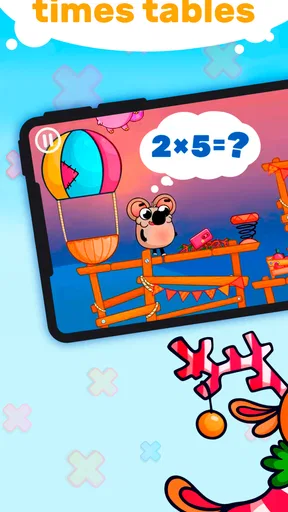
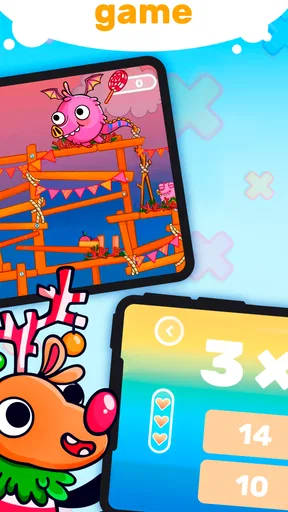
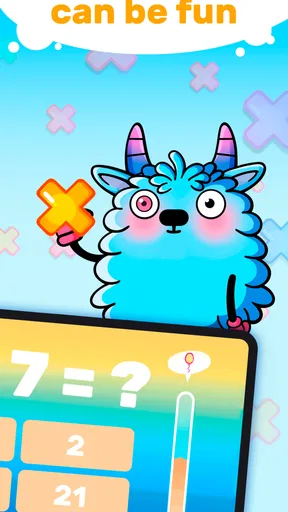
Once you fire up Multiplication Games For Kids, you’re greeted with a vibrant and colorful interface. The app does a fantastic job of being visually appealing without overwhelming the senses. It’s intuitive and user-friendly, which means kids can navigate through it without needing constant help from adults. The app is designed for children aged 5 to 10, but honestly, it’s a great refresher for anyone looking to brush up on their multiplication skills.
The game is rated Everyone, which gives parents a quick indication of its broad audience, though that rating is not a substitute for checking whether the actual activity fits a particular child. Some children are ready to work on multiplication early; others will benefit more from counting, grouping, or repeated addition before tackling timed recall. I would begin by watching a short session rather than assuming that a bright interface alone makes the material appropriate.
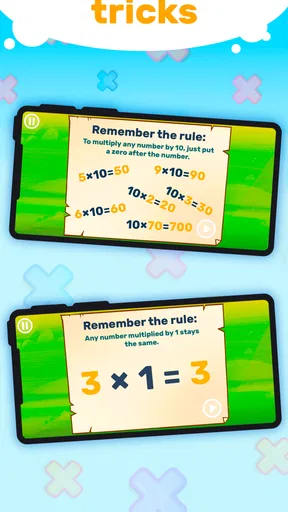
A useful way to introduce it is to connect a session to something the child already understands. If they are learning a table at school, ask them to practise that same set of facts, then talk through one answer they found tricky. The goal is not to turn every game into a lesson, but to make sure a correct tap is supported by understanding. For instance, a child who knows that four groups of three make twelve has a stronger foundation than one who only memorizes the order of a quiz.
Worth Reading Before You Choose

Baby Panda World Brings Quick Play to Modern Phones, but Its Game Library Feels Busy

ESPN’s Live Game View Makes Following Close Games Easier

QuizzLand Review: A Good Fit for Short Trivia Breaks, Not Every Player

Basketball Stars: Multiplayer Is Fast, but Can It Recover When Matches Go Wrong?

WEBTOON Turns Phone Updates Into a Better Reading Routine

Link to Windows Runs on Shared Habits, Not Social Feeds
The game has reached over a million installs and has an average rating of 4.6 from around 52,000 ratings, with 656 written reviews. I see those figures as evidence that many families have tried it, not proof that it will fit every learner. Children differ in how they respond to competition, visual stimulation, and repeated drills, so a brief trial with an adult nearby is still the most useful test.
A Variety of Learning Modes
What I really love about this app is the variety of learning modes it offers. Each mode is crafted to teach multiplication in a different way, ensuring kids never get bored. There’s a classic "quiz mode" where kids solve multiplication problems, and each correct answer gets them a step closer to unlocking new levels. It’s like a game within a game!
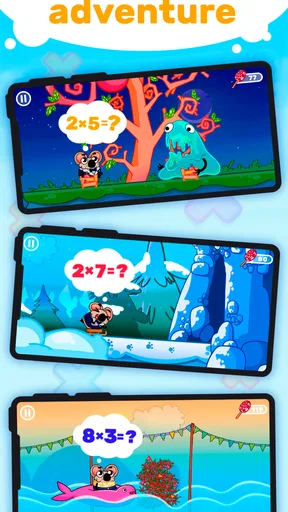
Then there’s the "adventure mode," which is perfect for kids who prefer a storyline. Here, they embark on a journey, solving multiplication puzzles to overcome obstacles and advance to the next stage. It’s a brilliant way to keep them engaged while learning.
These two approaches point to a useful choice for parents: a quiz can suit a child who wants short, direct rounds, while a story-led activity may help someone who needs a reason to keep moving from one problem to the next. I would not insist that a child use every mode. Let them try the formats and notice which one encourages careful thinking rather than hurried guessing. Engagement matters, but it should support the arithmetic, not replace it.
A practical routine is to let the child choose the mode, then ask them to explain one answer aloud after a round. This makes the game a starting point for conversation instead of a screen-only activity. If they cannot explain a fact yet, work it out with objects, fingers, or a quick sketch, then return to the question later. That small pause can prevent a reward or level from becoming the only thing they remember.
For children who already know their tables, repeated quiz rounds may feel like unnecessary repetition. In that case, it can still serve as a light refresher, but I would not use it as the main challenge. A paper problem with a missing factor, or a real-world question such as sharing a number of items into equal groups, can ask for more flexible reasoning than recalling a multiplication fact. The game is most valuable when it fits the child’s current stage rather than being treated as a one-size-fits-all curriculum.
Interactive Features That Shine
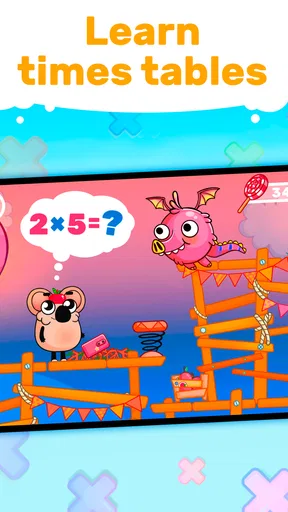
The app is packed with interactive features that make learning multiplication a hands-on experience. One of my favorites is the "time challenge," where kids race against the clock to solve as many problems as they can. It’s a fantastic way to promote quick thinking and improve mental math skills.
Another cool feature is the "multiplayer mode," which lets kids compete against friends or family. This not only makes learning a social activity but also adds a healthy dose of competition, motivating kids to improve their scores.
Speed can be motivating, but it is also the feature I would introduce most carefully. A child who is still working out what multiplication means may find a timer stressful, and rushing can turn a learning session into a test of nerves. I would save timed play for a child who is comfortable with the underlying facts, and use untimed practice or discussion when they are learning a new table. If a child becomes frustrated, stopping the challenge is a better choice than pushing for a faster score.
Multiplayer play can make practice feel less solitary, especially when a parent or sibling joins in. I would keep the mood cooperative: take turns explaining a tricky answer, celebrate a thoughtful strategy, and avoid making the slower player feel they have failed. Competition works for some families and not others. If a child gets upset by comparing scores, playing separately or choosing another mode is a perfectly sensible way to keep the focus on learning.
One everyday use case is a short session while waiting for dinner or during a quiet moment after homework. I would agree on a natural stopping point before opening the game, then follow it with a quick real-life question: if each of three people needs two plates, how many plates should be set out? That keeps screen practice brief and gives the child a chance to apply multiplication away from the game. It also makes it easier for a parent to notice whether the facts are becoming usable knowledge.
Rewards and Progress Tracking
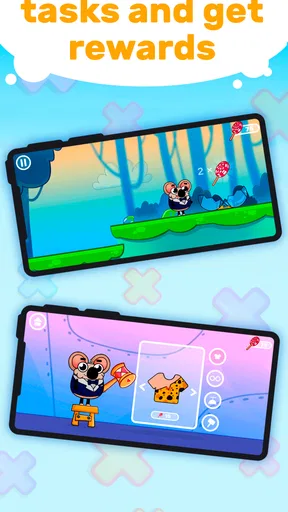
To keep kids motivated, Multiplication Games For Kids includes a reward system where they earn stars and badges for completing tasks. It’s a smart way to encourage them to keep going, especially when they hit challenging sections. Plus, the app offers a detailed progress tracker, so parents can easily see how their child is doing, and identify areas where they might need extra help.
Rewards are most helpful when they reinforce steady effort rather than become the sole reason to play. I would pay attention to how a child reacts when a task is difficult: do they try another question, or do they focus only on earning the next badge? Progress information can help an adult spot a topic that deserves a little review, but it should lead to a supportive conversation, not pressure to improve a score every time.
A specific tip is to use the tracker as a prompt for targeted practice. If a child repeatedly hesitates around one set of facts, take a few minutes to practise those away from the game using groups of everyday objects, then return to the app and see whether the questions feel easier. This alternation helps reveal whether a child understands the multiplication relationship or has only become familiar with a particular game sequence. The app can provide useful practice, while a parent supplies context and reassurance.
With regular updates and new challenges, the app ensures there’s always something fresh for kids to explore. And the best part? It aligns with school curricula, so parents can be confident that their child is learning relevant skills.
The current version is 3.28.0, and the game was released on May 6, 2020. It requires Android 7.0 or later. Those details matter when deciding whether an older device can run it, but they do not tell you how a child will respond to its teaching style. I would treat compatibility as a basic check and learning fit as the more important decision.
For a household choosing between this and a general educational game, the strongest reason to pick it is focus: it is built for multiplication practice rather than offering a little of everything. That can be exactly right when times tables are the immediate need. If a child needs help understanding number patterns, fractions, or broader classroom topics, a wider maths resource or direct support from a teacher may be a better companion. This game’s role is clearest when the goal is repeated work with multiplication facts.
Who is likely to get the most from it
I would recommend trying it with a child who already has some exposure to multiplication and enjoys short, game-shaped practice. It may also suit a learner who resists worksheets but is willing to engage with a quiz or an adventure. A parent looking for a quick way to reinforce schoolwork can use it as one part of a routine, especially when there is time to check in and discuss a difficult problem afterward.
It is less suitable as the only teaching resource for a child who has not yet grasped equal groups, or for someone who becomes anxious when learning is timed or competitive. It may also be the wrong fit for a child who is looking for broad maths coverage rather than multiplication specifically. In those cases, hands-on objects, a teacher’s explanation, or a more comprehensive learning tool may address the need better. I would rather choose the right kind of help than expect a game to solve every learning problem.
Parents may wonder whether they need to supervise every session. The interface is presented as child-friendly, but I still recommend being nearby at first: check that the child understands the task, see whether the pace feels comfortable, and make sure purchases are not made accidentally. Once the child can navigate confidently, supervision can be lighter, but an occasional conversation about what they are practising keeps the activity connected to learning.
Another sensible question is whether the game replaces school practice. I would not treat it as a replacement. It can add repetition and motivation, while classwork, explanation, and everyday problem-solving help build a fuller understanding. A few focused minutes can be more useful than a long session spent tapping quickly, particularly if the child is tired or beginning to guess.
Final Thoughts
Overall, I found Multiplication Games For Kids to be an excellent tool for making multiplication fun and engaging. It smartly combines education and entertainment, ensuring that kids are not just learning, but also having a blast while doing it. It’s perfect for parents who want to give their children a head start in math or reinforce what they’re already learning at school.
If you’re on the lookout for an app that can transform the way your child learns multiplication, this one is definitely worth a download. It’s a great investment in your child’s education, and who knows, you might even find yourself playing along too!
I would soften that last recommendation into a practical one: download it if your child needs multiplication practice and is drawn to game-based activities, then see whether the free access earns a regular place in your routine. Before paying for anything, check which purchase—if any—solves a specific need for your family. The game has a clear purpose and several ways to make repetition more inviting, but its value depends on the child, the teaching goal, and how calmly the family can use its timed and competitive elements.
My buy-or-skip verdict is straightforward. Try it as a focused multiplication companion if the child is ready for times tables, enjoys interactive practice, and benefits from encouragement. Skip it, or pair it with another approach, if the main need is conceptual teaching, a wider maths curriculum, or a low-pressure activity without competition. Used thoughtfully, it can make practice easier to begin; it is not a substitute for patient explanation when a child needs to understand why the answer is correct.
Pros
- Engaging interface with colorful graphics.
- Adaptive difficulty levels for all ages.
- Includes rewards to motivate kids.
- No internet required for gameplay.
- Supports multiple languages for learning.
Cons
- Limited free content; in-app purchases needed.
- Repetitive music can become annoying.
- Ads may interrupt the learning experience.
- Some levels feel too easy for older kids.
- Occasional glitches on certain devices.
FAQs for Multiplication Games For Kids.
What age group is Multiplication Games For Kids suitable for?
Multiplication Games For Kids is designed for children aged 6 to 12. It offers various levels of difficulty tailored to different age groups and learning stages. The app provides interactive and engaging ways to practice multiplication, making it suitable for beginners and those looking to reinforce their skills.
Does the app require an internet connection to function?
No, Multiplication Games For Kids can be used offline. Once downloaded, all features and games are accessible without an internet connection, making it convenient for on-the-go learning and minimizing screen time concerns for parents.
Are there any in-app purchases or ads?
The app offers a free version with limited features and includes ads. To unlock all games and remove ads, there is a one-time purchase option. This ensures an uninterrupted learning experience and access to additional levels and challenges.
How does the app track and report progress?
Multiplication Games For Kids includes a progress tracking feature that allows parents and teachers to monitor a child's improvement over time. Detailed reports show completed levels, scores, and areas needing improvement, providing insights into the child’s learning journey.
Is the app compatible with both Android and iOS devices?
Yes, the app is available for download on both Android and iOS platforms. It is optimized for a wide range of devices, ensuring smooth performance and high-quality graphics, regardless of the operating system used.


